
Replays
The server records a replay of every mission on its own, nothing has to be enabled: the EH_ReplayRecorderComponent component is already on the gamemode prefab. Recording happens on the server and only in game — in Workbench no file is created.
Where the files are
Section titled “Where the files are”In the server’s profile folder. The name is made of the terrain, the world and the time the recording started:
Eden_ECHO_TvT_128_RED_BattleofMountLongdon_Eden_2026-09-20_16-22-08.replayRuha_ECHO_TvT_127_Maze_Swamp_Mud_Ruha_2026-09-20_14-57-06.replayThe size depends on the length of the fight and the number of players: from a few to a few dozen megabytes per mission.
What goes into a recording
Section titled “What goes into a recording”- players, their characters and slots, the callsigns of the groups;
- movement of characters and vehicles, getting in and out;
- state: alive, unconscious, killed; kills with the killer named, and projectile hits;
- destroyed vehicles;
- zones, map icons, player markers;
- gamemode states and the mission description — since 1.4.8.
A server restart
Section titled “A server restart”If the server came back up from a save, the recording continues in the same file instead of starting over. The unfinished tail of the crashed session is overwritten, and players and vehicles are numbered so that they stay the same across the restart: session ids are handed out anew after a restart and would land on other people and other vehicles.
For the mission to come back from a save at all, the server and the mission have to be set up for it — see Saves.
Watching
Section titled “Watching”Recordings are watched in the viewer on the ECHO site: echo-sga.ru/forum/replay-v2. No registration needed.
Pick the mission’s map in the Map field, then click the Replay file box and choose the recording on disk — dragging it in does not work. Then press Start.
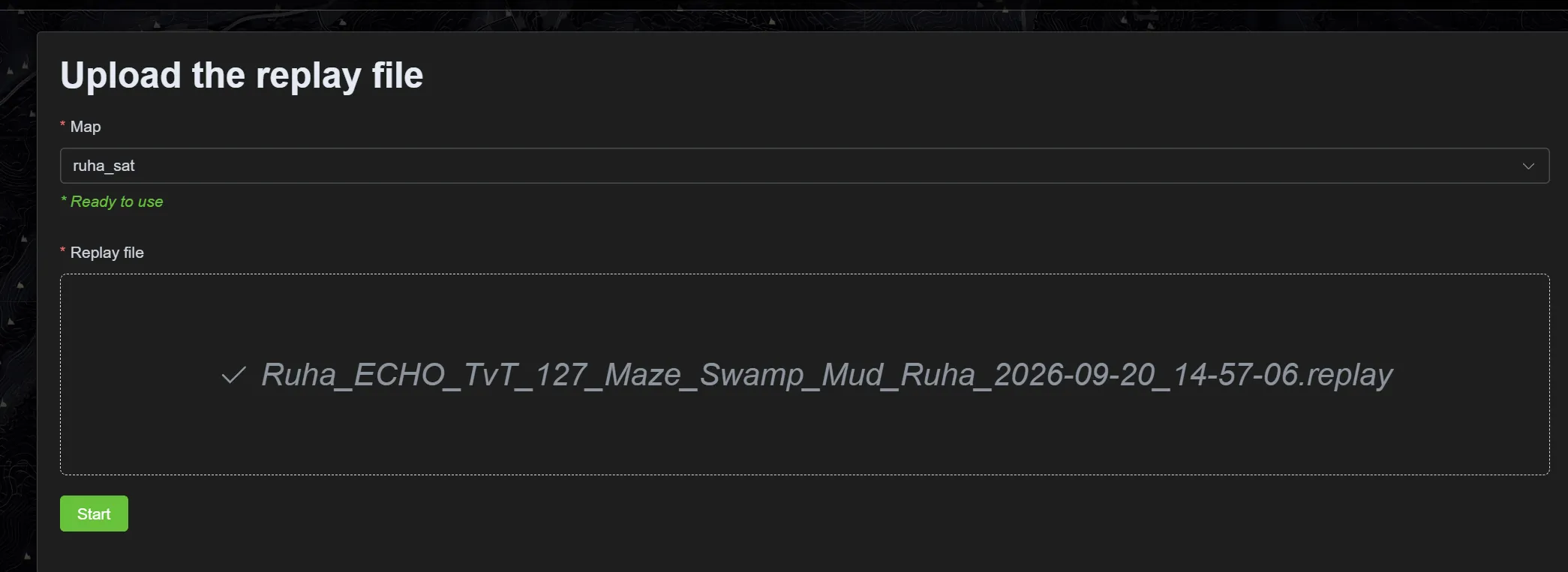
The form is called Upload, but the file goes nowhere: the replay is parsed in the browser itself and is never sent to the server.
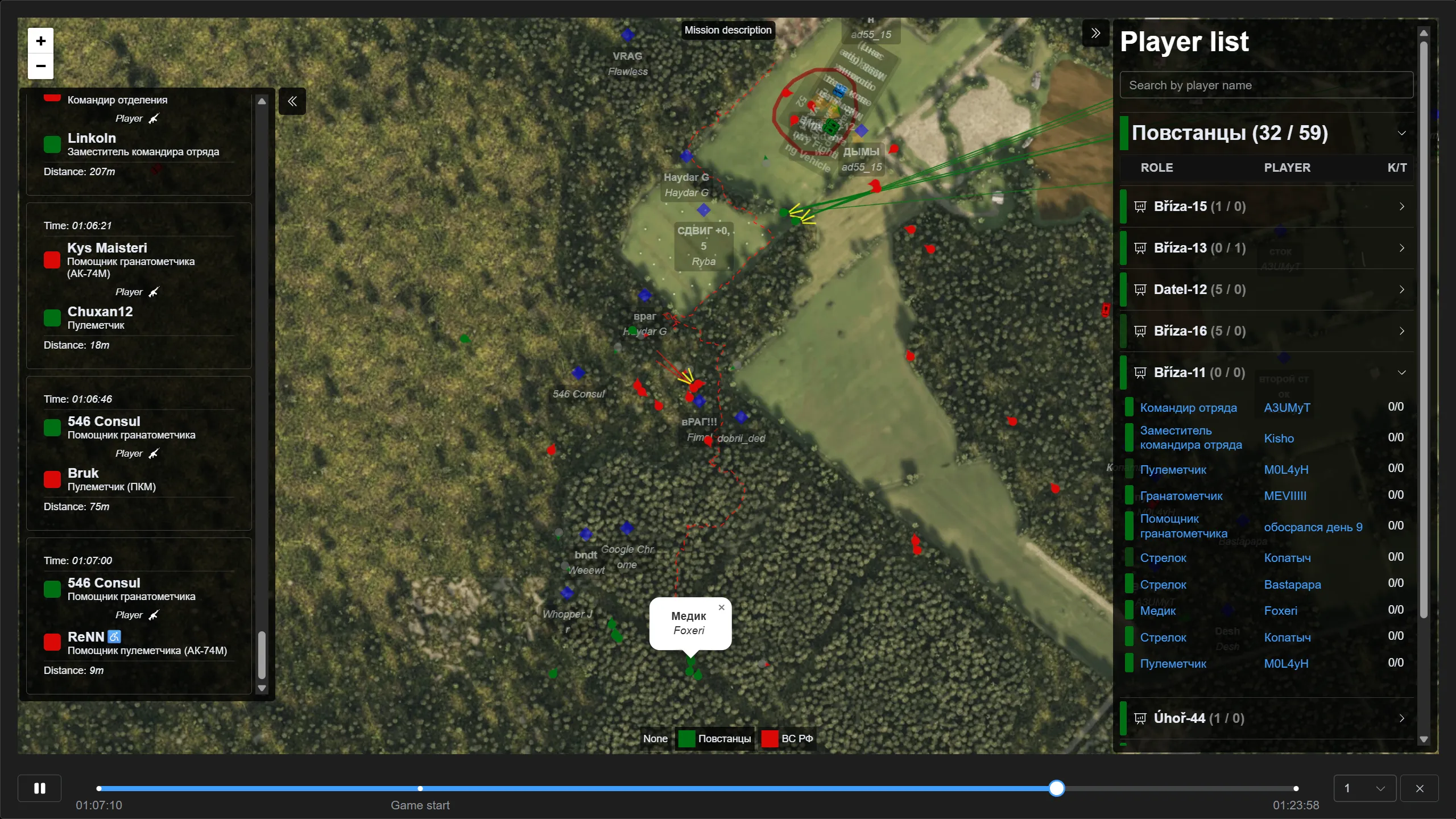
What is there:
- the map with positions — characters and vehicles of both sides, the mission’s zones and markers, labels with player and squad names;
- the event feed on the left — kills with the time, the roles of both sides and the distance;
- the player list on the right — by squad, with kills and losses, and a search by nickname;
- the timeline at the bottom — seeking, a mark for the start of the game, and playback speed;
- the Mission description button — the very description players read on the briefing.
A replay is the main way to review a disputed moment after a mission: unlike spectating, it is still there once the mission is over.
See also
Section titled “See also”- Mission states — the results and statistics right after the fight
- Saves — what else survives a restart
- Administration