Zones
EchoLobby has two kinds of zones:
- Polyzone (
EH_MapOverlayComponent) — only a drawing on the map: area of operations, restricted territory. - Kill zone (
EH_KillZoneComponent) — kills a player who left the boundary (or, the other way round, entered it) and didn’t return in time.
Freeze zones are kill zones too, just with their own timer: Freezetime.
How to place a zone
Section titled “How to place a zone”All zones are polylines. Place a prefab from Prefabs/Zones/, select Vector Tool on the top panel of World Editor and, holding Alt, click in the world where the outline points should be. On the map the zone is drawn with the same shape.
| Prefab | Contents |
|---|---|
EH_Polyline_Zone.et |
a map polyzone only |
EH_Polyline_KillZone.et |
kill zone and polyzone |
EH_Polyline_FreezeZone.et |
freeze zone and polyzone, see Freezetime |
Polyzone (EH_MapOverlayComponent)
Section titled “Polyzone (EH_MapOverlayComponent)”| Field in the editor | Type | Default | What it does |
|---|---|---|---|
Fill Texture (m_FillTexture) |
texture | empty | Fill texture, for example hatching. |
Fill UV Scale (m_FillUVScale) |
number | 0.05 | Fill texture scale. |
Fill Color (m_FillColor) |
RGBA color | 1 1 1 0.5 | Fill color. |
Outline Texture (m_OutlineTexture) |
texture | empty | Outline texture. Since 1.3.35. |
Outline UV Scale (m_OutlineUVScale) |
X Y | 1 0.01 | Outline texture scale. |
Outline Color (m_OutlineColor) |
RGBA color | 1 1 1 1 | Outline color. |
Outline Width (m_OutlineWidth) |
number 3–50 | 2.0 | Outline thickness. |
Show For Everyone (m_ShowForEveryone) |
flag | off | Visible to everyone. |
Target Factions (m_TargetFactions) |
list of factions | empty | Visible only to these factions. |
Show Only On Specific Gamemode States (m_ShowOnlyOnSpecificGamemodeStates) |
list of states | empty | Visible only in these states (slotting, briefing, game, results). Empty — always. |
Fill Outside (m_FillOutside) |
flag | off | Fills everything around the zone instead of the zone itself. Since 1.3.20. |
Hatching textures
Section titled “Hatching textures”The mod comes with ready textures for Fill Texture:
Assets/Images/Polyzone/DiagonalHatchPattern.edds— diagonal hatching;Assets/Images/Polyzone/AlternativeFillPatterns/— extra patterns:Line512,Parallel512,Cross512,CrossAngle512,DoubleCross512,CrossPoint512,CrossPointsCenter512,CenterPoints512,LinePoints512,DoublePoint,TriplePoint512.
The hatching density is adjusted with Fill UV Scale.
For Outline Texture — a dashed outline: Assets/Images/Polyzone/BorderPattern128.edds, BorderPattern128_Thin.edds, BorderPattern512_Thin.edds.
Typical setups
Section titled “Typical setups”Area of operations. Enable Fill Outside and set a dark semi-transparent fill — everything outside the area gets darkened.
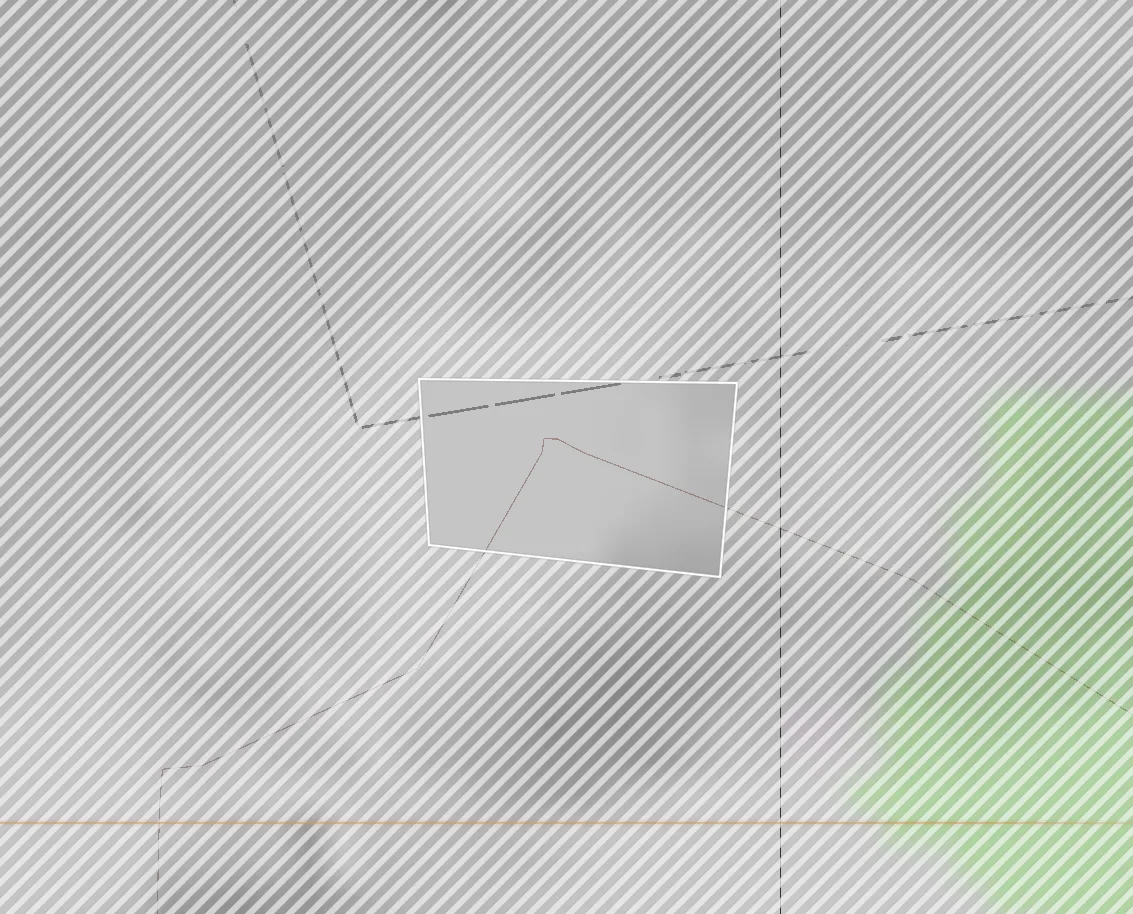
Restricted territory. Hatching in Fill Texture, red Fill Color, Show For Everyone.
Kill zone (EH_KillZoneComponent)
Section titled “Kill zone (EH_KillZoneComponent)”Killzone Base category
Section titled “Killzone Base category”Both kill zones and freeze zones have these fields.
| Field in the editor | Type | Default | What it does |
|---|---|---|---|
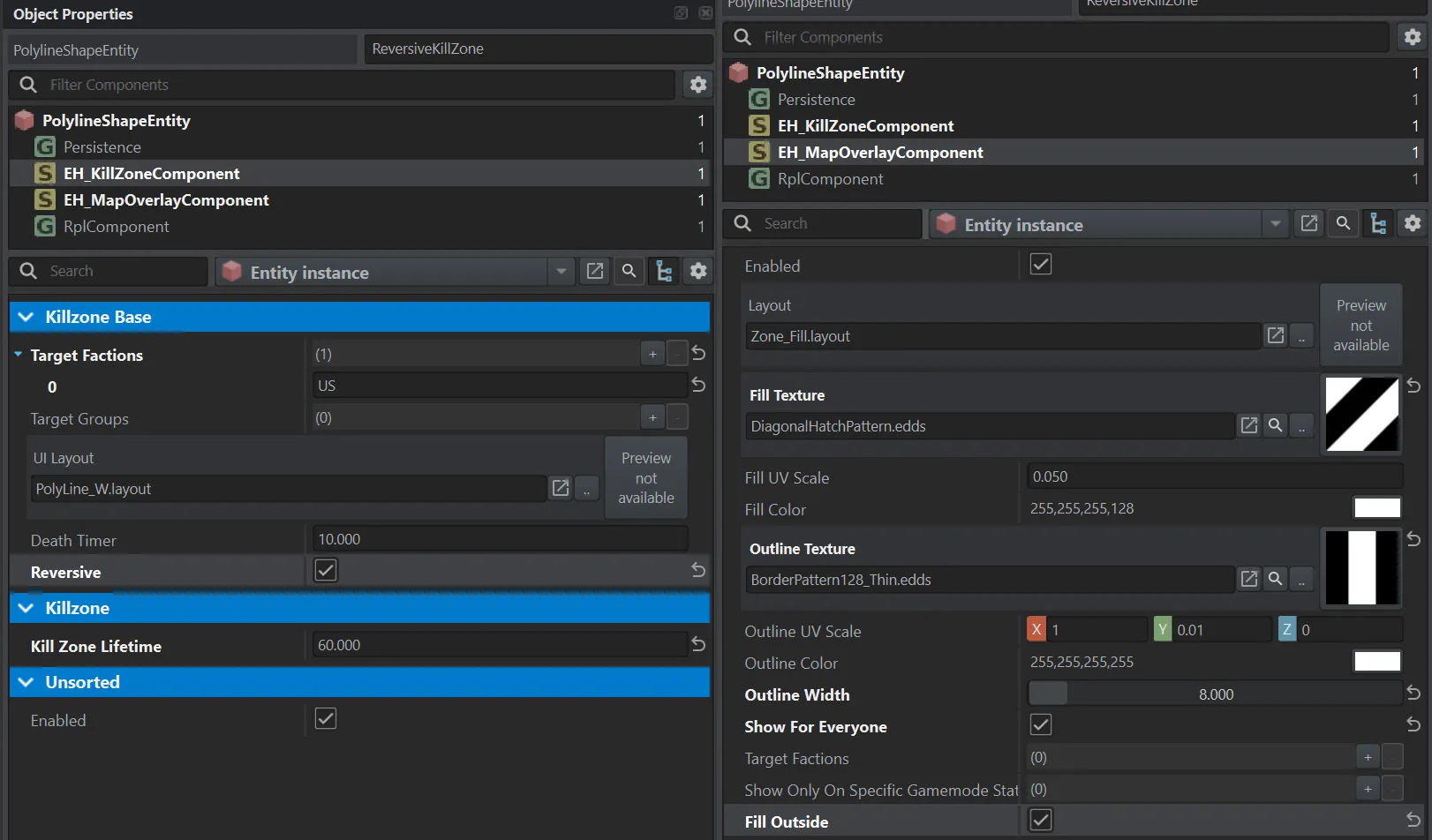
Target Factions (m_TargetFactions) |
list of factions | empty | Who it affects. Empty — everyone. |
Target Groups (m_TargetGroups) |
list of groups | empty | Which groups it affects. Empty — all. |
UI Layout (m_UILayout) |
layout | PolyLine_W.layout |
The warning a player sees after leaving the zone. |
Death Timer (m_DeathTimer) |
seconds | 10 | How long the player has to return. |
Reversive (m_Reversive) |
flag | off | Off — leaving the zone is deadly. On — entering it is deadly. Since 1.3.20. |
Killzone category
Section titled “Killzone category”| Field in the editor | Type | Default | What it does |
|---|---|---|---|
Kill Zone Lifetime (m_KillZoneLifetime) |
seconds | 0 | After how many seconds the zone disappears. 0 — never. Since 1.3.21. |
Typical setups
Section titled “Typical setups”Boundary of the area of operations. A zone along the perimeter, Reversive off.
Enemy base that is off limits. Reversive on, Target Factions — the attacking side.
A boundary that is lifted after 20 minutes. Kill Zone Lifetime = 1200.
An off-limits zone for the first minute. Reversive on, Kill Zone Lifetime = 60.
- A kill zone only affects those who have been inside it. If a player never entered the zone, leaving it won’t kill them. It triggers if they entered the zone or spawned in it and then tried to leave. Since 1.2.27.
- Target Groups and Target Factions together. If both are set, the faction of every group in Target Groups must also be in Target Factions — otherwise the group isn’t affected.
- Kill Zone Lifetime isn’t shown anywhere. Players don’t see how long is left until the zone disappears — warn them in the mission description or with a message.