Map icons
The EH_MapIconComponent component draws an icon with a label on the map where the entity stands — objectives, rally points, objects. Group and vehicle markers are icons like this too.
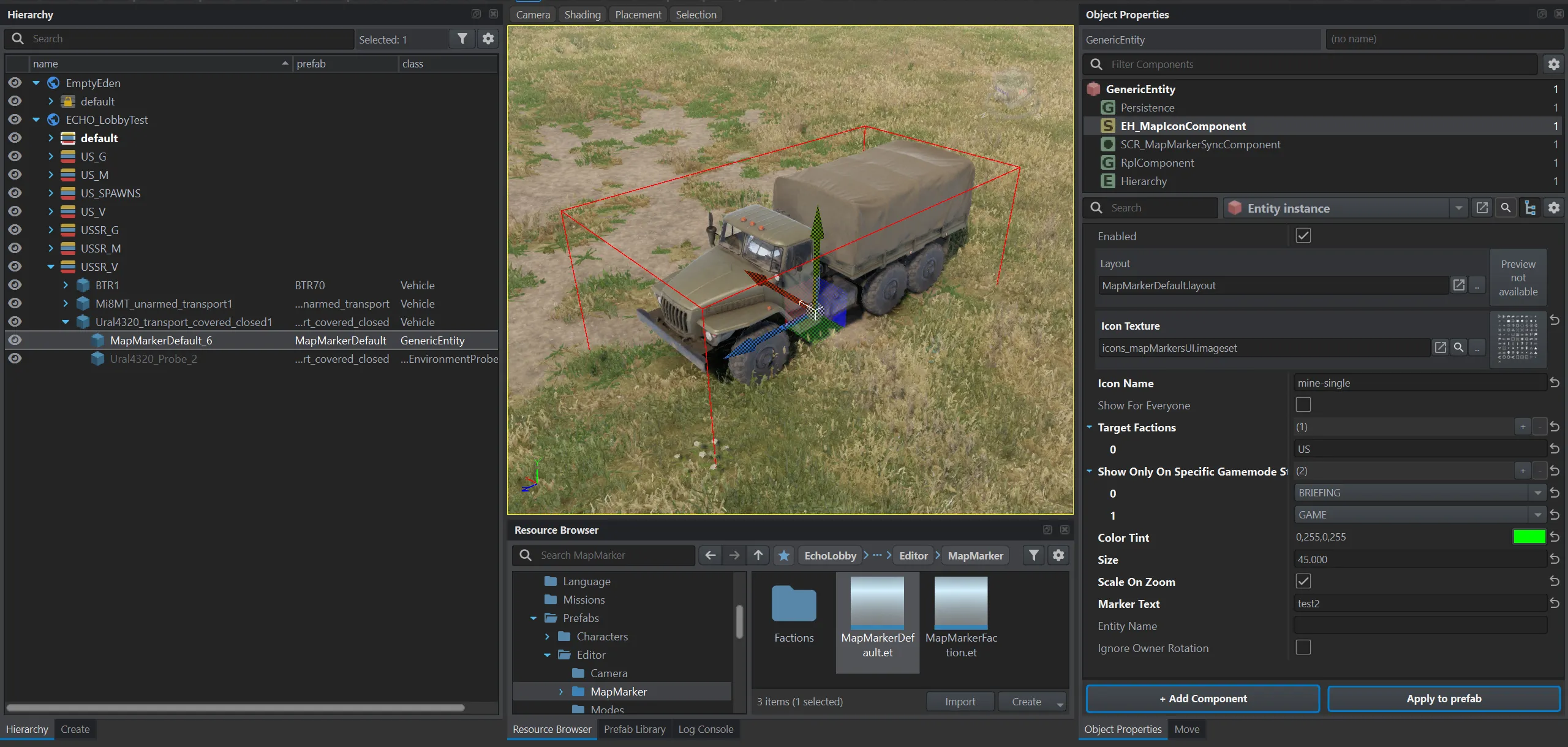
A custom icon is placed with the Prefabs/Editor/MapMarker/MapMarkerDefault.et prefab. Group and vehicle markers are easier to place with ECHO Missions Tool — see How to create markers.
Attributes (EH_MapIconComponent)
Section titled “Attributes (EH_MapIconComponent)”| Field in the editor | Type | Default | What it does |
|---|---|---|---|
Layout (m_Layout) |
layout | MapMarkerDefault.layout |
Icon layout. |
Icon Texture (m_IconTexture) |
texture / imageset | empty | Icon image. Non-square textures are displayed correctly since 1.2.24. |
Icon Name (m_IconName) |
text | empty | Image name inside the imageset. |
Text (m_MarkerText) |
text | empty | Label next to the icon. |
Show For Everyone (m_ShowForEveryone) |
flag | off | Visible to everyone. When on, Target Factions is ignored. |
Target Factions (m_TargetFactions) |
list of factions | empty | Visible only to these factions. |
Show Only On Specific Gamemode States (m_ShowOnlyOnSpecificGamemodeStates) |
list of states | empty | Visible only in these states. Empty — always. |
Color Tint (m_ColorTint) |
RGBA color | 1 1 1 1 | Icon tint. |
Size (m_Size) |
number | 30 | Icon size: in screen pixels, and with Scale On Zoom — in meters on the terrain. |
Scale On Zoom (m_ScaleOnZoom) |
flag | off | The icon changes size with the map zoom, Size is in meters on the terrain. |
Associated Entity Name (m_EntityName) |
text | empty | Name of the vehicle entity the marker belongs to. ECHO Missions Tool uses it to move the marker with the vehicle when creating spawns. |
Ignore Owner Rotation (m_IgnoreOwnerRotation) |
flag | off | Doesn’t rotate the icon with the entity. |
Scale On Zoom — the icon as part of the map. Without the flag the icon has the same size on screen at any zoom, Size is in pixels. With the flag the icon behaves as part of the map: Size is in meters on the terrain, and the icon keeps that size at any zoom.
Images for icons
Section titled “Images for icons”| Imageset | Contents |
|---|---|
Assets/Images/EH_VehicleIcons.imageset (from the mod) |
vehicles and objects: car, truck, armed_vehicle, apc, tank, helicopter, boat, hq, storage, mines, skull |
UI/Textures/GroupManagement/FlagIcons/GroupFlagsBlufor.imageset, …Opfor…, …Indfor… |
flags and squad types for group markers: undefined, infantry, motorized-infantry, special-forces, armored, commander and others |
UI/Imagesets/Conflict/ConflictIconsSet.imageset |
tasks: Task_Attack, Task_Defend and others |
UI/Textures/Icons/icons_mapMarkersUI_drawing/icons_DR_mapMarkersUI.imageset |
vanilla marker icons |
The image name inside the imageset goes into Icon Name.
Group marker (EH_GroupMapIconComponent)
Section titled “Group marker (EH_GroupMapIconComponent)”The same icon with one extra field:
| Field in the editor | Type | Default | What it does |
|---|---|---|---|
Group Entity Name (m_GroupEntityName) |
text | empty | Entity name of the group. The marker shows its leader and the number of slots. |
Since 1.2.24 group markers use the common layout, so their size can be changed with Size.
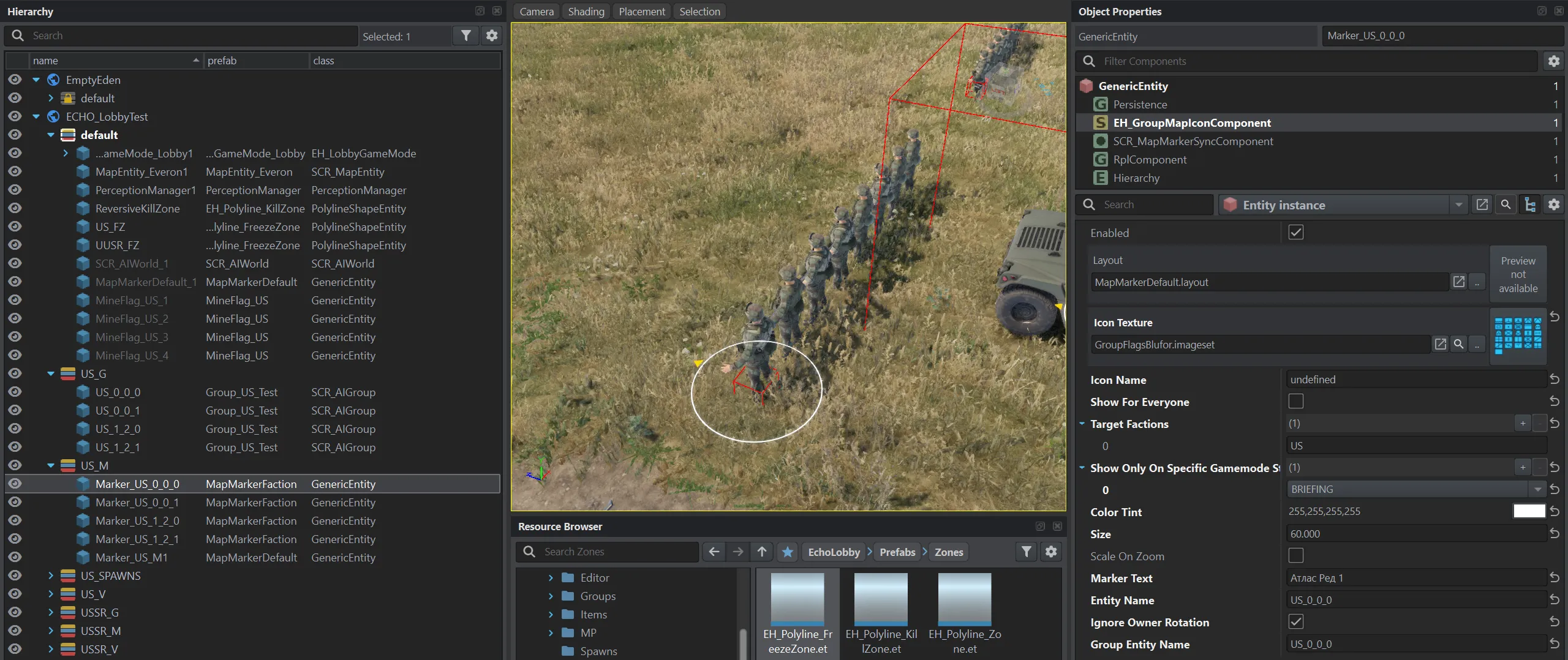
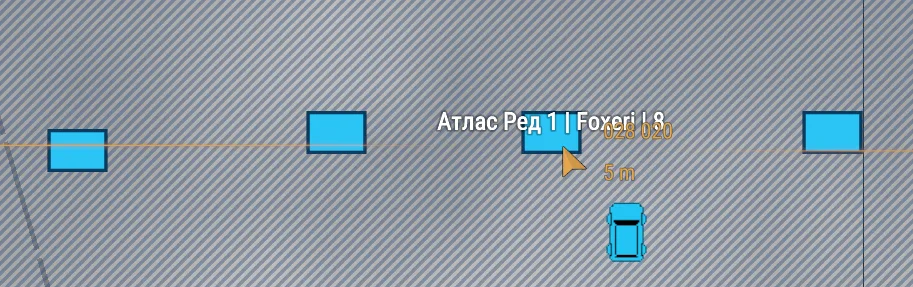
In the game, on hover, a group marker shows the group’s name, leader and number of slots:
How to create markers
Section titled “How to create markers”Select groups or vehicles in World Editor and press Spawn Marker in ECHO Missions Tool. The tool places markers using the mod’s faction and vehicle configs: for a group — by its faction, for a vehicle — by its type.
Typical setups
Section titled “Typical setups”Objective only for the attackers, only on the briefing. Target Factions — the attacking side, state — Briefing.
Marker on a moving object. Make the icon entity a child of the object — for example, a vehicle or a document folder. The marker moves on the map with its parent. Since 1.3.0.
See also
Section titled “See also”- Zones
- Spawns
- Gamemode settings — who can place their own markers