
Administration
Everything EchoLobby gives a server administrator: chat commands, GameMaster actions, slot management and spectating players. Unless stated otherwise, a feature is available only to administrators.
How to find a player’s ID
Section titled “How to find a player’s ID”Most commands take a player ID. There are two ways to find it:
- In GameMaster — the ID is shown next to the player’s name. Since 1.2.47.
- With the command
/pid part_of_name— without entering GameMaster.
Chat commands
Section titled “Chat commands”| Command | Who can use it | What it does |
|---|---|---|
/pid text |
admin | Finds players whose name contains the text and lists them with IDs: [12] f0xeri. Part of the name is enough: /pid f0x. Since 1.3.0. |
/pm id text |
admin | Private message to a player. Since 1.2.47. |
/ans text |
any player | Reply to the administrator who last messaged this player with /pm. One reply per message. |
/msg text |
admin | On-screen message to all players. |
/spec id |
admin | First person spectating of a player. Since 1.5.0. |
/unspec |
anyone | Leave first person spectating. Same as Esc. |
/skipft |
admin | Skips freezetime — sets the common freezetime to 5 seconds. Since 1.3.0. |
/tablegen |
admin | Saves a .txt with the slotting table, ready to paste, to the profile. The table language is the game language. Since 1.2.43. |
Minigames
Section titled “Minigames”Toys available to all players.
| Command | Game |
|---|---|
/lss |
Shapeshooter |
/sd |
Stackdrift, since 1.4.5 |
GameMaster
Section titled “GameMaster”Character actions
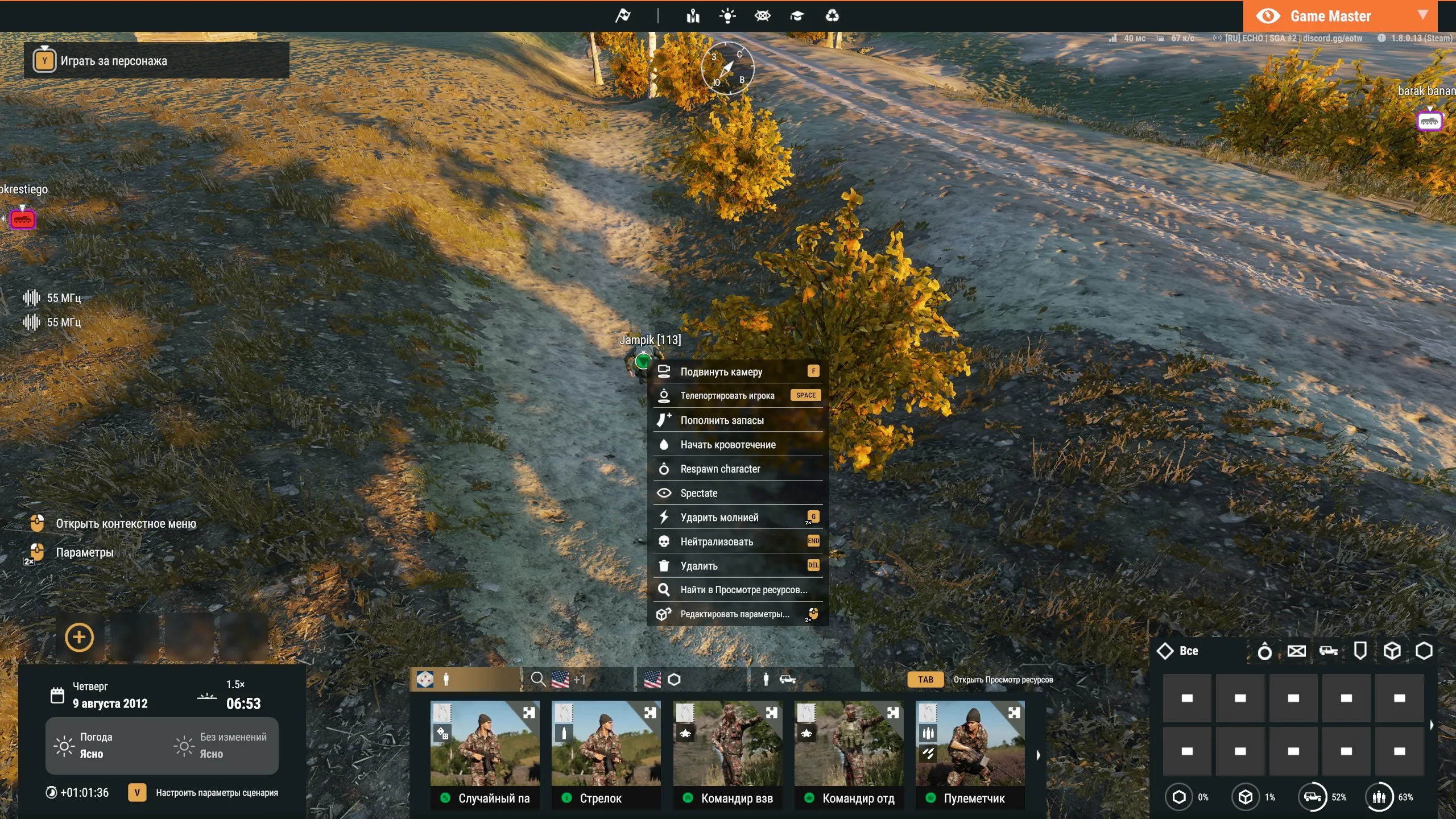
Section titled “Character actions”Select a character and open the context menu.
| Action | What it does |
|---|---|
| Respawn character | Recreates the slot’s character — from the same prefab, in place of the old one, in the same group. The group leader stays the leader. The old character dies, the slot is kept. If the game is on and the slot is taken, the player immediately gets control of the new character. |
| Spectate | First person spectating of the player controlling this character. |
Gamemode flags
Section titled “Gamemode flags”The gamemode settings flags are available in the GameMaster scenario settings and can be toggled during the game. Since 1.3.10.
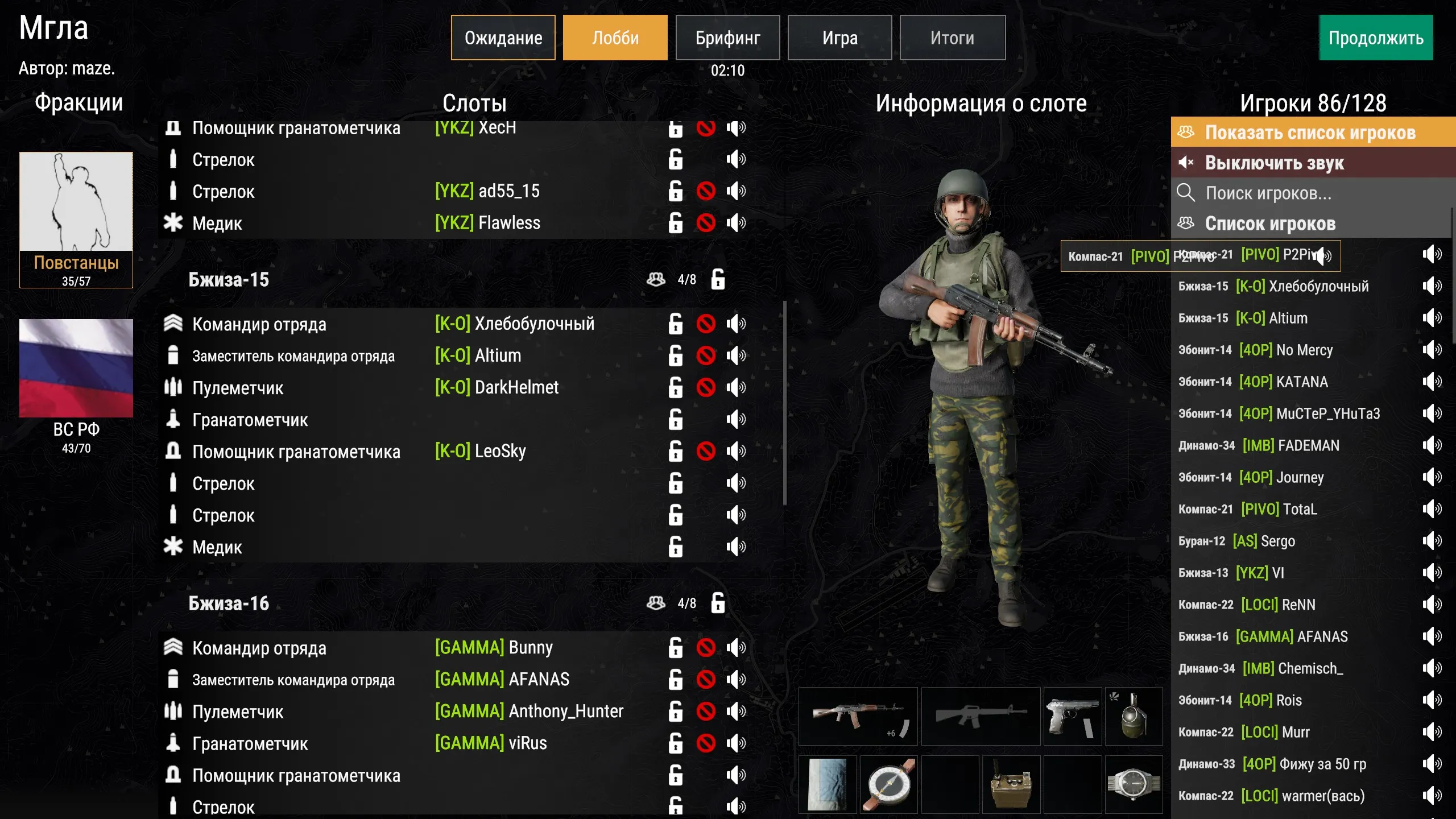
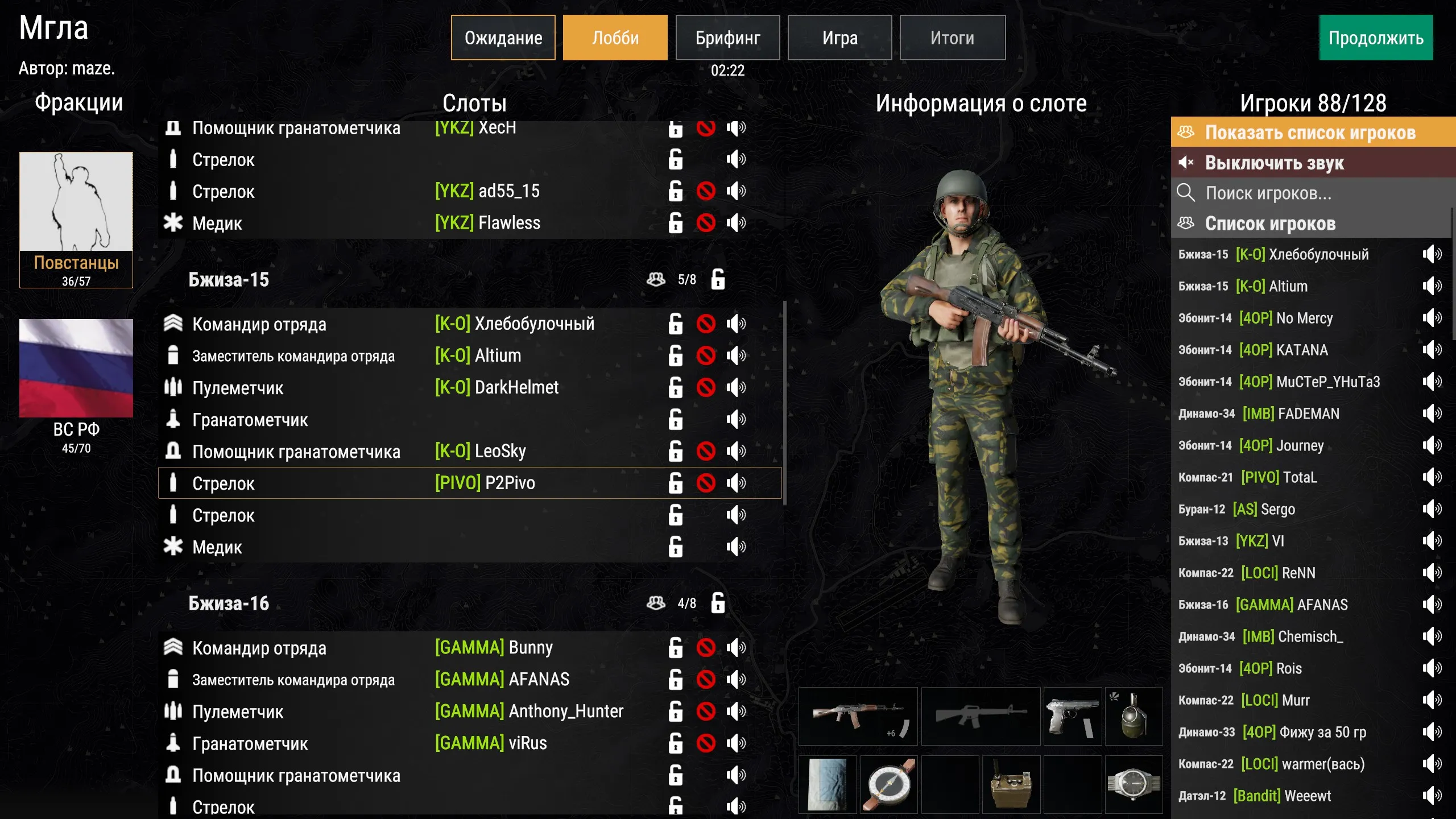
- Move a player to another slot — drag the player onto the slot. The slot must be open and free, and its character alive. Since 1.3.14.
- Lock all slots of a group — a button on the group in the slotting menu. Visible only to admins. Since 1.3.4.
- See that the sides have finished the briefing — when a side commander marks the side as ready, a check mark appears on their faction’s flag in the bottom left. See Side readiness.
- Find a player who hasn’t taken a slot — switch the voice channel panel to the full player list. The list has a search. Since 1.3.14, search since 1.3.20.
Spectating
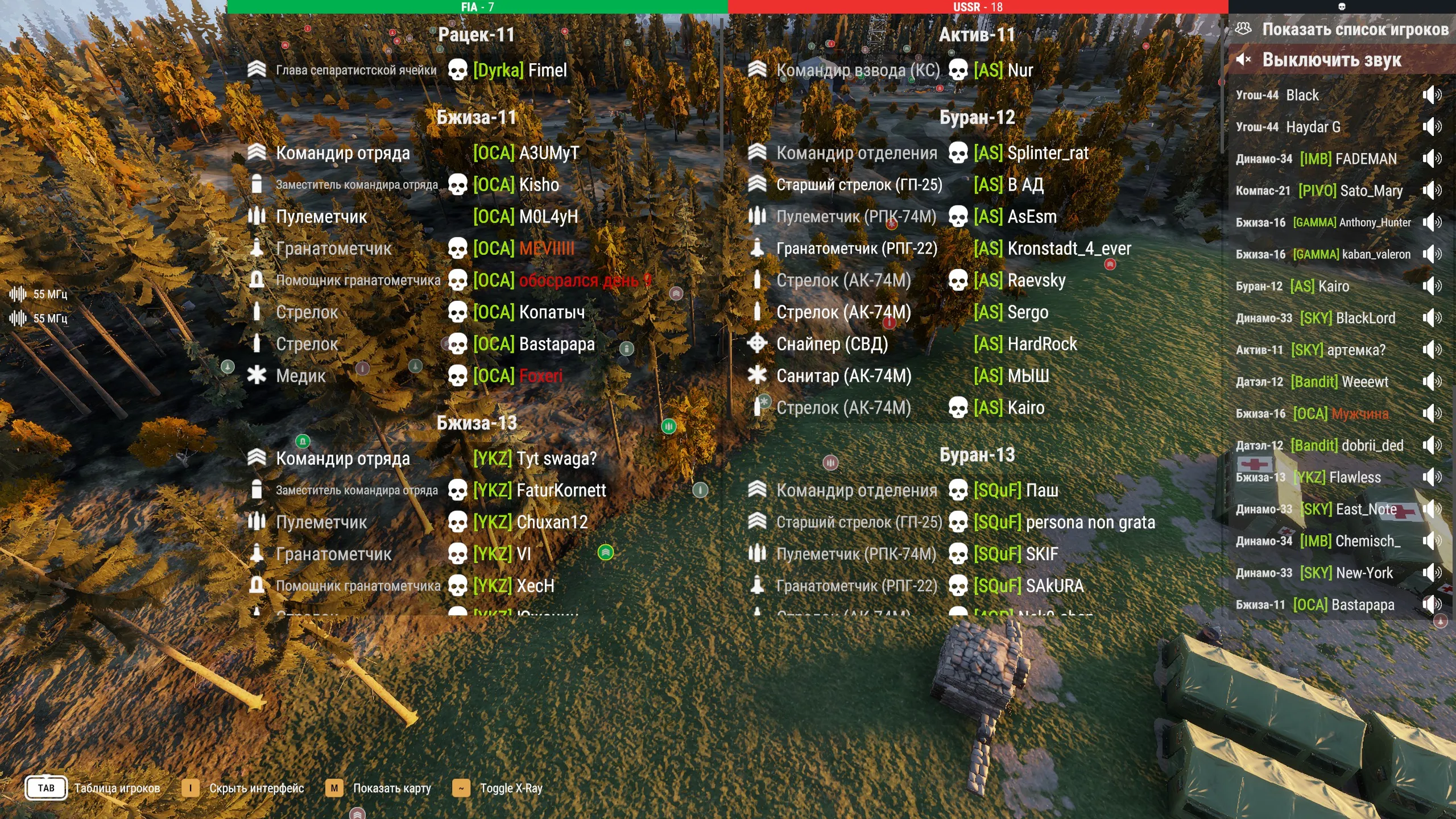
Section titled “Spectating”These features are available to all killed players and to administrators.
First person spectator
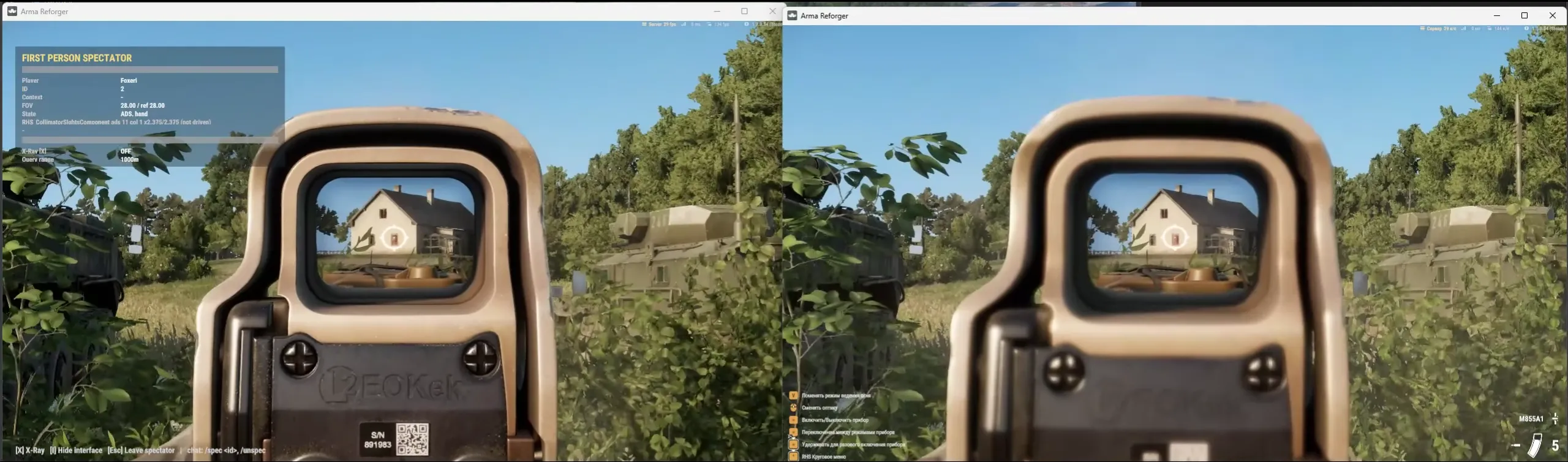
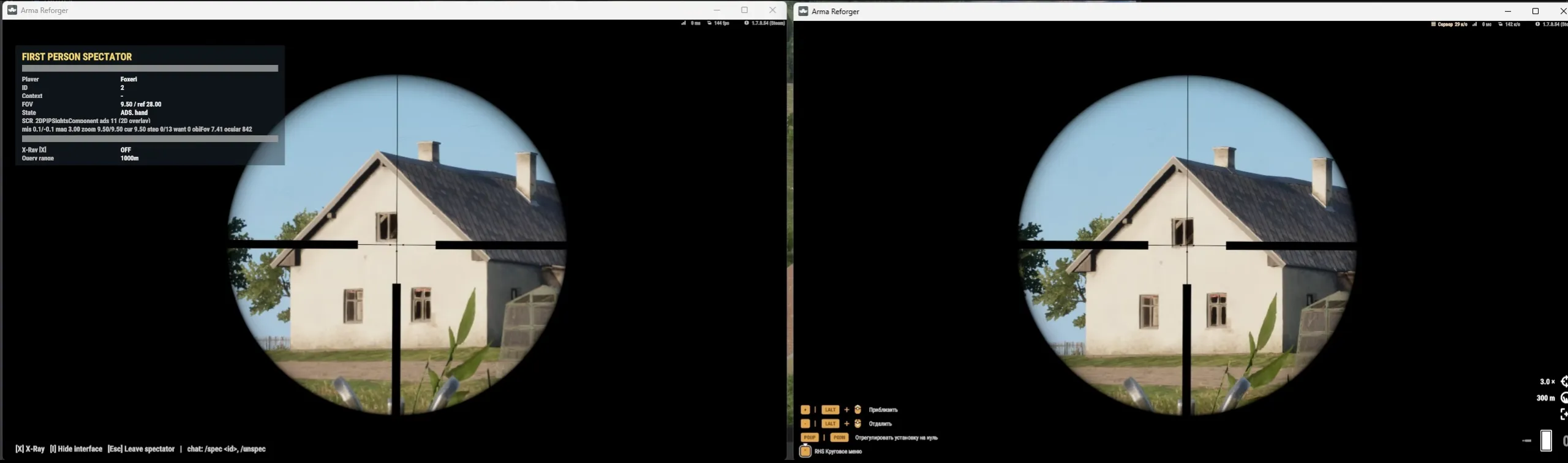
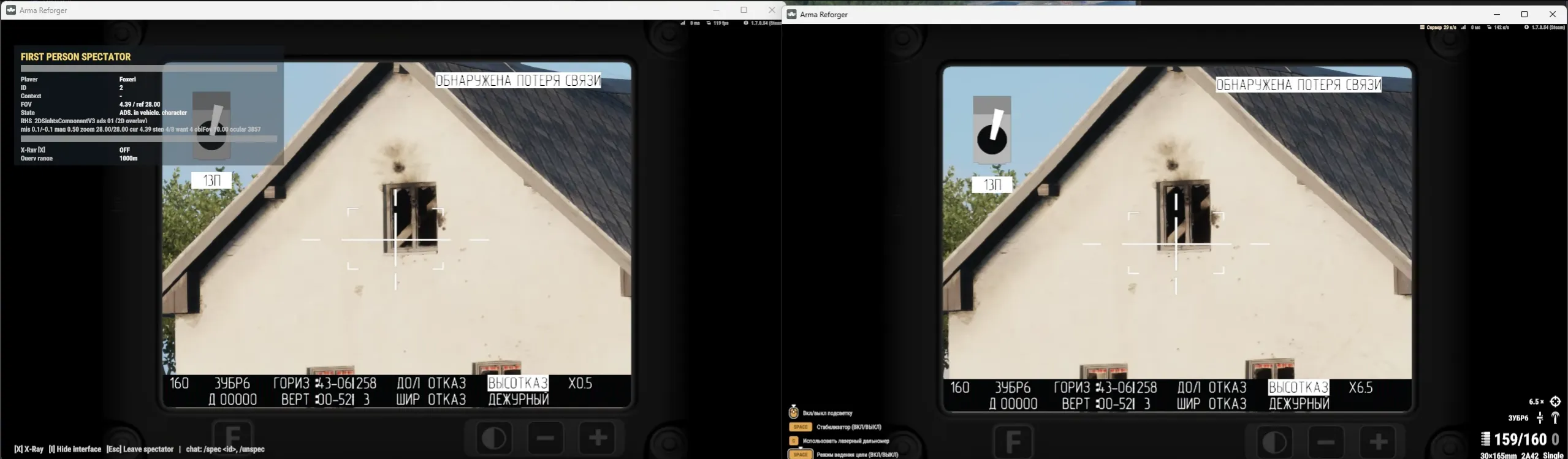
Section titled “First person spectator”Since 1.5.0. You see what the player sees: their sights (iron sights, red dots, 2D and 3D scopes, vehicle optics, binoculars), FOV and aiming mode.
How to start:
- in the spectator menu hold Tab, right-click a player on a slot and choose Spectate;
- in the free camera right-click the player’s model and choose Spectate;
- an administrator — with
/spec idor the Spectate action in GameMaster.
Leave with Esc or /unspec.
What it looks like:
| Key | What it does |
|---|---|
~ |
X-Ray |
I |
hide the spectator interface |
| map (as in the game) | open the map |
Esc |
leave spectating |
The panel in the top left shows the spectated player’s data: player, their ID, FOV and aiming mode. On the screenshots the spectator is on the left and the player on the right.
Other features
Section titled “Other features”- X-Ray — the
~key, works both in the free camera and in first person. Since 1.5.0. - Move the camera to a player — click a slot in the spectator’s Tab menu. Since 1.2.23.
- Slot markers on the map in spectator mode. Since 1.2.23.
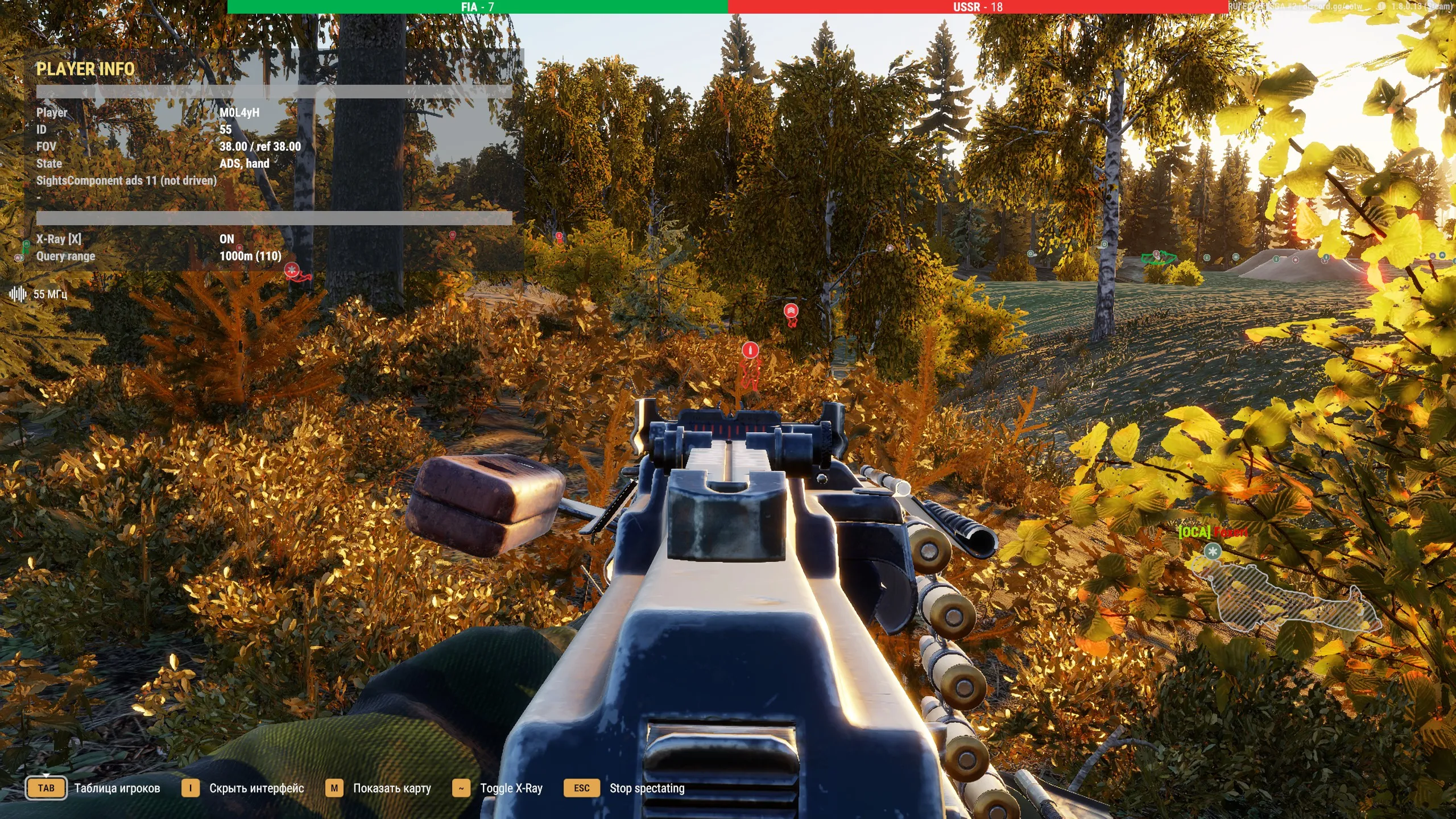
While spectating in first person, the Player Info panel on the left shows who you are watching, their ID, FOV and state.
- Spectating is limited by the network range. If the camera is farther from the character than the server’s sync distance (for example, 1500 m), moving to it won’t work and its marker won’t appear on the map.
- In first person spectating the animations are choppy and 3D scopes jitter. This is how the engine delivers other players’ characters and can’t be fixed.
- Spectator Faction Lock restricts killed players. With it they can spectate only their own faction, see the gamemode settings.
/ansonly works as a reply. A player can’t message an admin first — only reply to a received/pm.- Respawn character gives the prefab’s gear. Everything the old character had stays on its body.