
Groups and slots
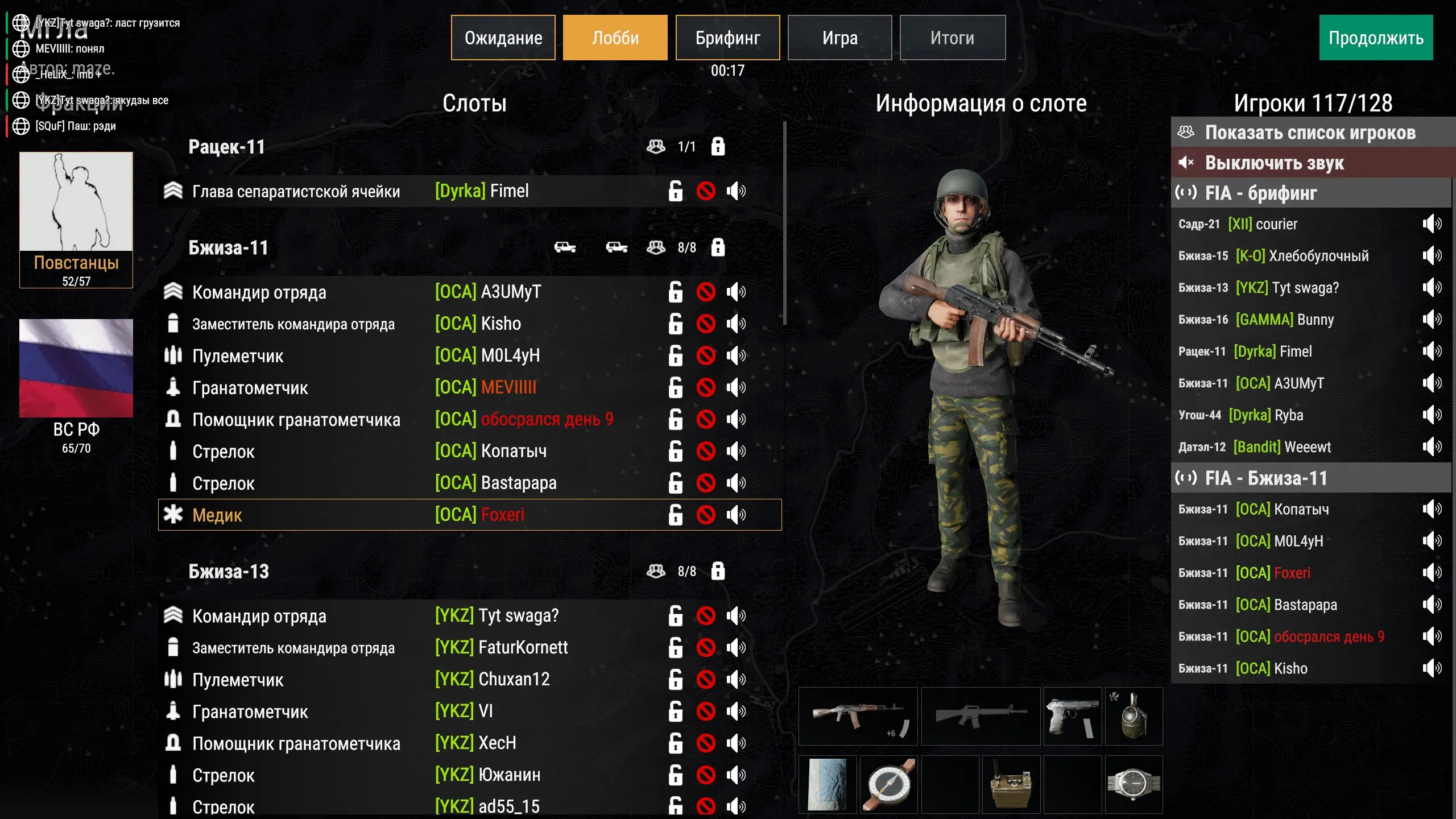
A lobby slot is a character placed in the world in advance, which a player takes before the mission starts. Slots are grouped: a group is a regular SCR_AIGroup with a callsign and a lobby name.
Until a player takes the slot, the character stands in the world as a bot. When the game starts, the player gets control of it.
Where it’s set up
Section titled “Where it’s set up”- Group — the
SCR_AIGroupentity: callsign in theSCR_CallsignGroupComponentcomponent and name in the Lobby category. - Slot — a character inside the group, the
EH_LobbyCharacterComponentcomponent.
Callsigns and group entity names are easier to set with ECHO Missions Tool.
Group attributes (SCR_AIGroup, Lobby category)
Section titled “Group attributes (SCR_AIGroup, Lobby category)”| Field in the editor | Type | Default | What it does |
|---|---|---|---|
Group Name (m_GroupName) |
text | empty | Group name shown in slotting under the callsign. Since 1.2.43. |
Callsigns (SCR_CallsignGroupComponent)
Section titled “Callsigns (SCR_CallsignGroupComponent)”A group callsign is made of company, platoon and squad. You can set them by hand — otherwise the callsign is assigned automatically.
| Field in the editor | Type | Default | What it does |
|---|---|---|---|
Company Callsign Custom (m_iCompanyCallsignCustom) |
number | -1 | Company. -1 — automatic. |
Platoon Callsign Custom (m_iPlatoonCallsignCustom) |
number | -1 | Platoon. -1 — automatic. |
Squad Callsign Custom (m_iSquadCallsignCustom) |
number | -1 | Squad. -1 — automatic. |
The numbers count from zero along the faction’s callsign list. They are rarely set by hand — the Assign callsigns and Get callsign buttons in ECHO Missions Tool do that.
Slot attributes (EH_LobbyCharacterComponent)
Section titled “Slot attributes (EH_LobbyCharacterComponent)”| Field in the editor | Type | Default | What it does |
|---|---|---|---|
Is Playable (m_IsPlayable) |
flag | off | Makes the character a lobby slot. Without it the character doesn’t become a slot and doesn’t appear in the list. |
Name (m_Name) |
text | empty | Slot name in the lobby, for example “Rifleman” or “Driver”. |
Side commander
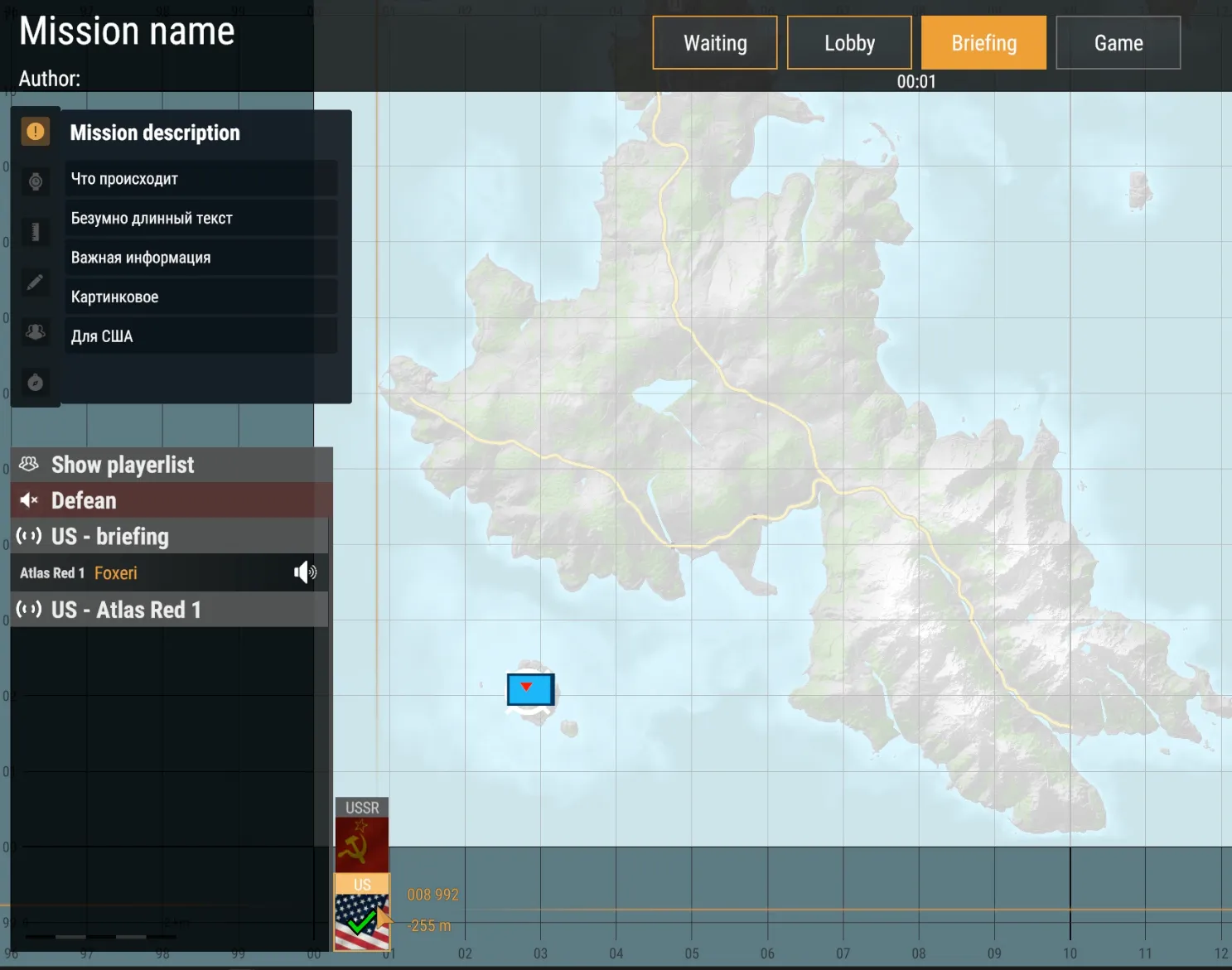
Section titled “Side commander”The side commander (SC) is the top occupied slot of the faction. They are not assigned separately, so the order of groups and slots matters. The SC:
- marks their side as ready on the briefing (since 1.3.28), see below;
- picks the spawn options for the squads (since 1.4.2), see Spawns.
Side readiness
Section titled “Side readiness”After the briefing, the SC clicks their side’s flag in the bottom left. Everyone sees the check mark — this is how admins know they can start.
Typical setups
Section titled “Typical setups”Regular squad. A group with a callsign and a name, all soldiers with Is Playable enabled and clear roles in Name.
Vehicle crew. A separate group for the crew, slots with roles (“Commander”, “Gunner”, “Driver”). Assign the vehicle to the group, see Vehicles.
- Put the command group first. The top occupied slot becomes the SC — if a regular squad ends up on top, its soldier will be marking readiness and picking spawns.
- The slot name should tell the role apart. Players pick a slot by Name; five “Riflemen” in a row say nothing.
- The group entity name is needed for spawns and vehicles. Spawn points and vehicle assignment find the group by its entity name in the world — if you renamed a group, check the spawns.
- A slot is held for a player on reconnect. If a player disconnects before the game starts, the slot is reserved for Slot Reservation Time In Minutes (3 minutes by default). After the game starts, the slot is held until the end of the mission.
- The slot table can be exported. The admin command
/tablegensaves a.txtwith the slotting table, ready to paste, to the profile. See Administration.