Vehicles
EchoLobby adds two fields to vehicles: assignment to a group — the group’s vehicles are shown in slotting and move with the group when a spawn is chosen — and permission for characters of enemy factions to get in.
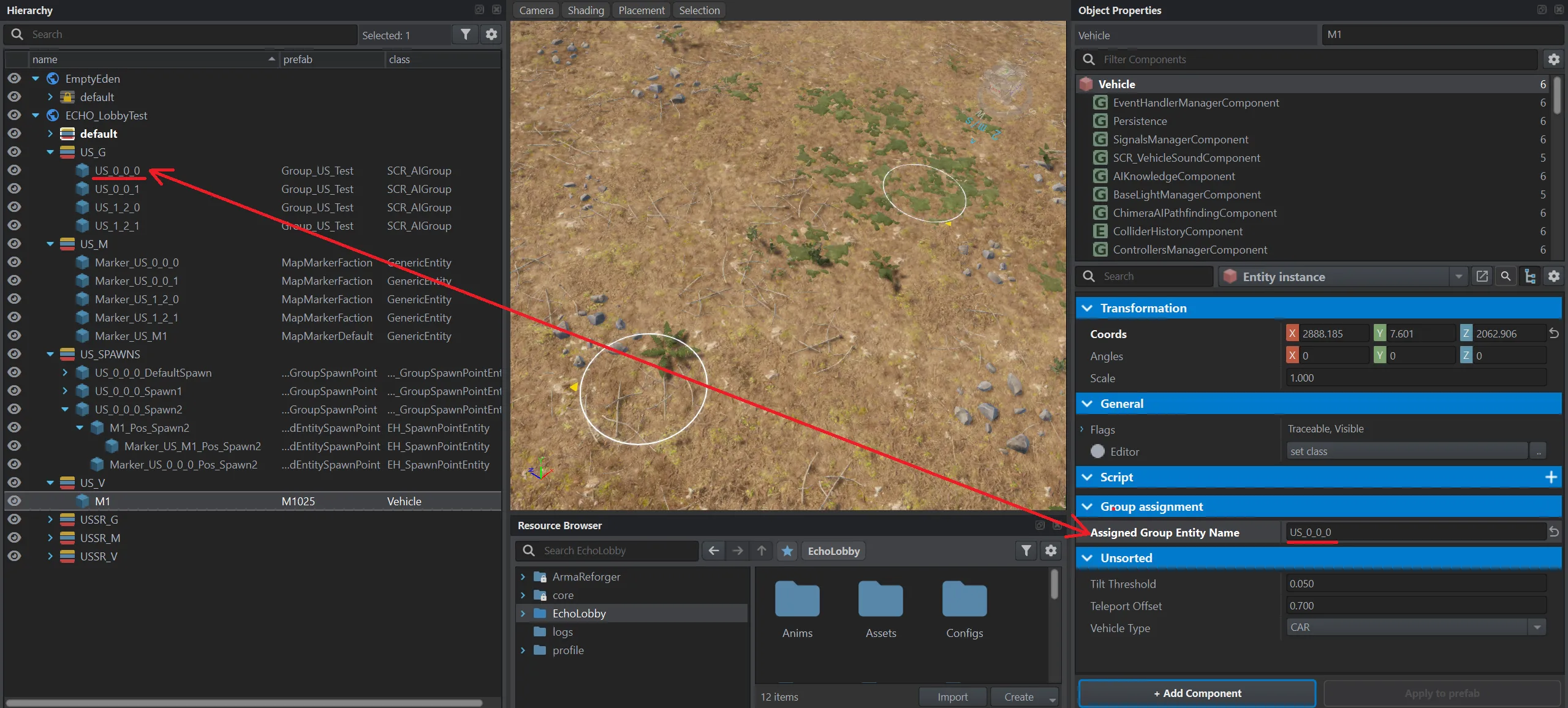
Group assignment (Vehicle, Group assignment category)
Section titled “Group assignment (Vehicle, Group assignment category)”| Field in the editor | Type | Default | What it does |
|---|---|---|---|
Assigned Group Entity Name (m_AssignedGroupEntityName) |
text | empty | Entity name of the group the vehicle belongs to. The group’s vehicles are shown in slotting, and ECHO Missions Tool uses the field to create points for the vehicle in the group’s spawns. |
Vehicles in slotting
Section titled “Vehicles in slotting”The group’s row gets an icon for each vehicle assigned to it — a player sees what the squad will ride before taking a slot. Hover over an icon and the vehicle’s model is shown on the right, in Slot info.
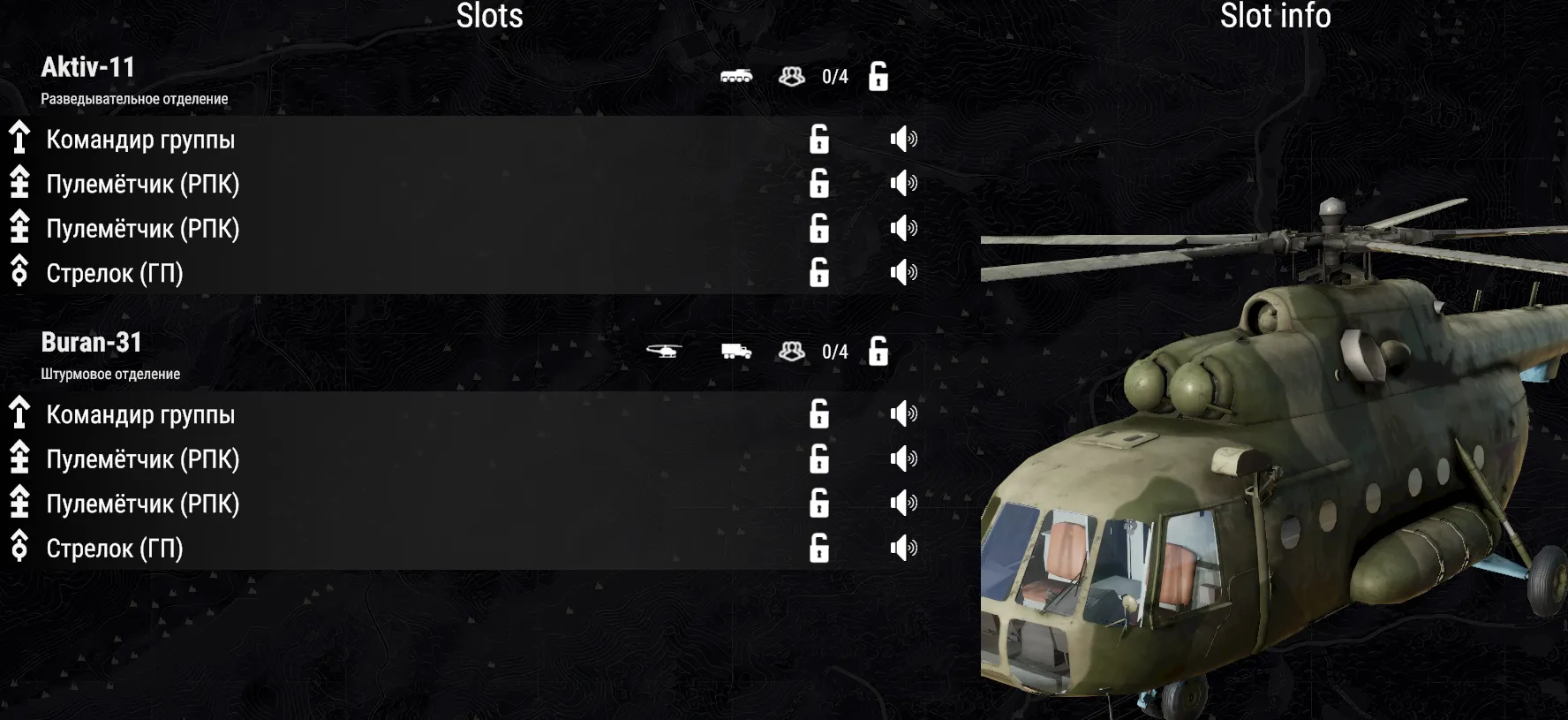
The icon and the name come from the vanilla SCR_EditableVehicleComponent of the vehicle — the same one the editor shows it by.
Enemy factions inside (SCR_VehicleFactionAffiliationComponent)
Section titled “Enemy factions inside (SCR_VehicleFactionAffiliationComponent)”| Field in the editor | Type | Default | What it does |
|---|---|---|---|
Allow Enemy Factions Characters (m_AllowEnemyFactionsCharacters) |
flag | off | Lets characters of enemy factions sit in the same vehicle. Since 1.5.0. |
Typical setups
Section titled “Typical setups”Squad vehicle. Assigned Group Entity Name — the group’s entity name, then recreate its spawns.
Convoy with a hostage or a VIP. Enable Allow Enemy Factions Characters on the convoy vehicle.
- Spawns take the assignment at the moment they are created. If you assigned a vehicle after creating the group’s spawns, recreate them, otherwise the vehicle stays where it is. Slotting is not affected: the vehicle shows up there right away.
- Use the group’s entity name, not the lobby Group Name.